 skwod
Group chat that runs on a computer one of you owns.
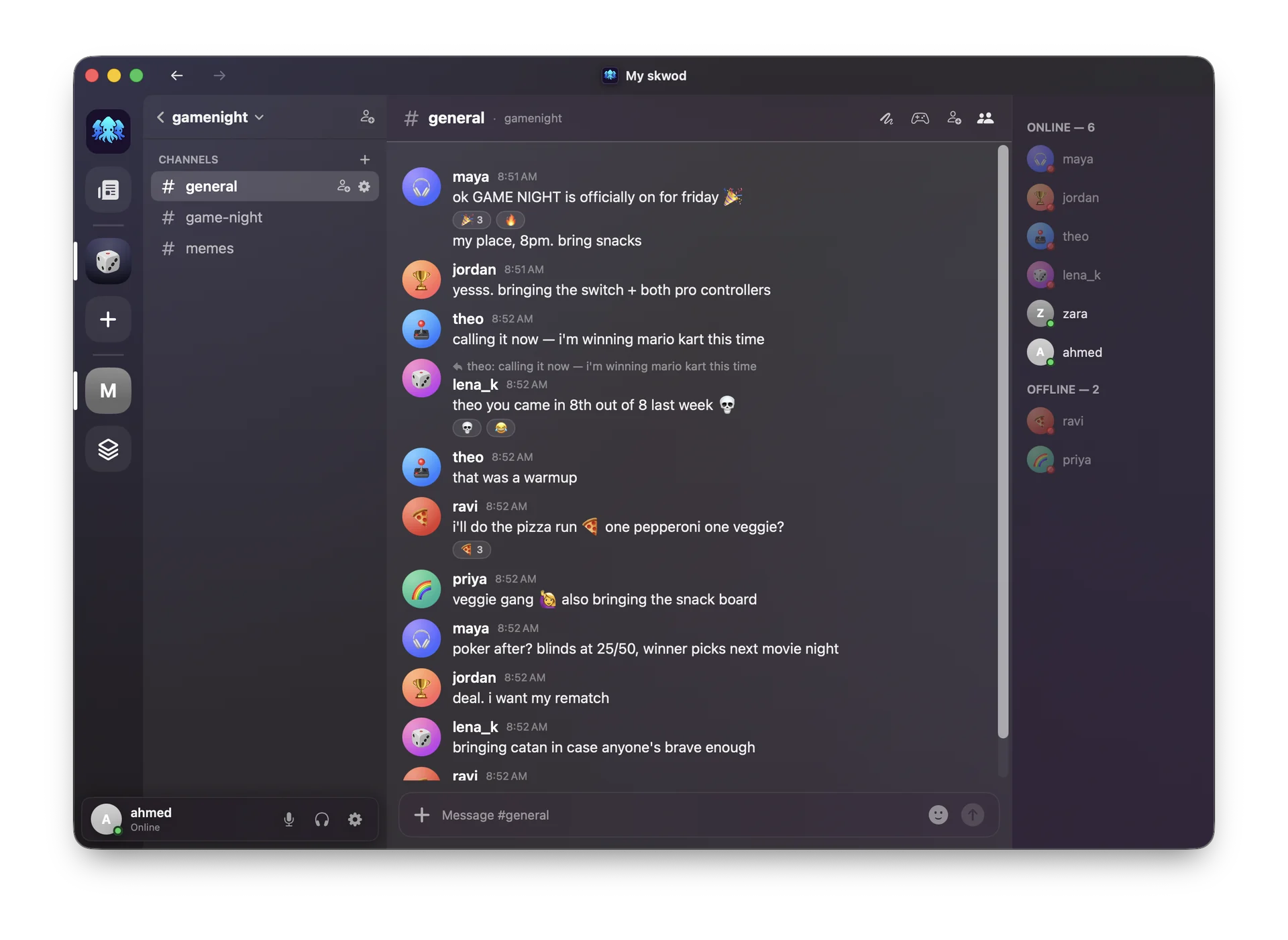
skwod is private group chat for your friends: channels, direct messages, photos and files, voice and video calls. Everything is end-to-end encrypted. One of you runs the server, so there is no skwod service in the middle and no account with us.
Free and open source. skwod is a pre-release and has not been independently audited: read the security notes before you rely on it.
https://skwod.io/join#ybndrfg8ejkm…cpqxot1u.SKWD-7K2M-QX4P
- What this website receives
- A request for the join page. The same request for every invite.
- What stays on your device
- Everything after the #: the key of your friend's server, which is also its address, and the code that lets you ask to join. Browsers never send that part.

How a skwod starts
-
One of you starts the server
Open the Mac app and click Start server, or run the Docker image on a home server. No domain, no port forwarding, no sign-up. How hosting works
-
They send an invite
The app gives the host a link and a QR code. The link names the server by its key, so it keeps working when the host's network changes.
-
Friends ask to join
Each friend opens the link in the app, picks a name and asks to join. The host lets them in, and their app receives the keys it needs, end to end.
What to know before you use it
The server cannot read your chat
Messages, files and calls are encrypted on your devices with Signal's own libsignal library. The server stores ciphertext, public keys and routing information, and the person who runs it cannot read a message either.
The server can see who talks when
Whoever runs a skwod can see who its members are, which channels exist and who posted when, though not what was said. Choose a host your group trusts with that.
When the host's computer is off, the skwod is offline
Members can still read what is already on their devices and reconnect on their own when the host is back. For a skwod that is always on, host it on a home server.
There is no web version, on purpose
A website that serves the encryption code could be changed to serve different code tomorrow. skwod runs only as apps you install, whose updates are signed.
What exists today
| Where | What it does | Status |
|---|---|---|
| Mac | Chat, and host a skwod from the same app | Released |
| Android | Chat. Installed from an APK file, not from Google Play | Released |
| iPhone and iPad | Chat, through Apple's TestFlight | Beta |
| Docker, Unraid, Synology | Host a skwod on a machine that is always on. You build the image from source | Works, tested on Docker |
| Windows | Host a skwod from a tray app | Coming soon |
| Linux desktop | Host a skwod from a tray app | Coming soon |